Know the zone.
Keep its context.
See supply and demand with their timeframe and state. The nearest-zone panel keeps price boundaries and live distance in view.
Your chart. Confirmed higher-timeframe layers. Supply, demand and trend rails in one focused map.
A structure map—not an entry or execution system.
The film could not start. Try Play again or use Open video.
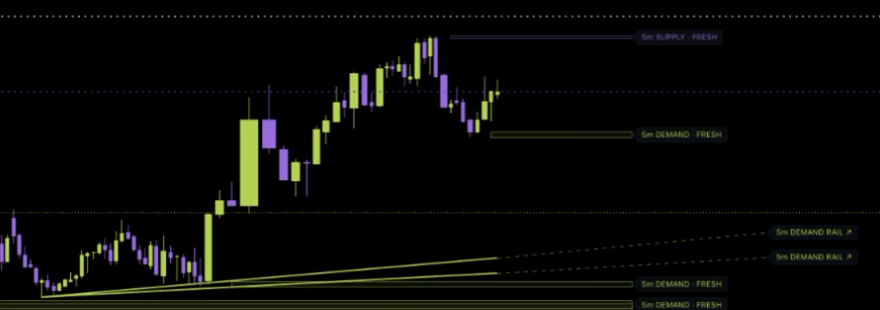
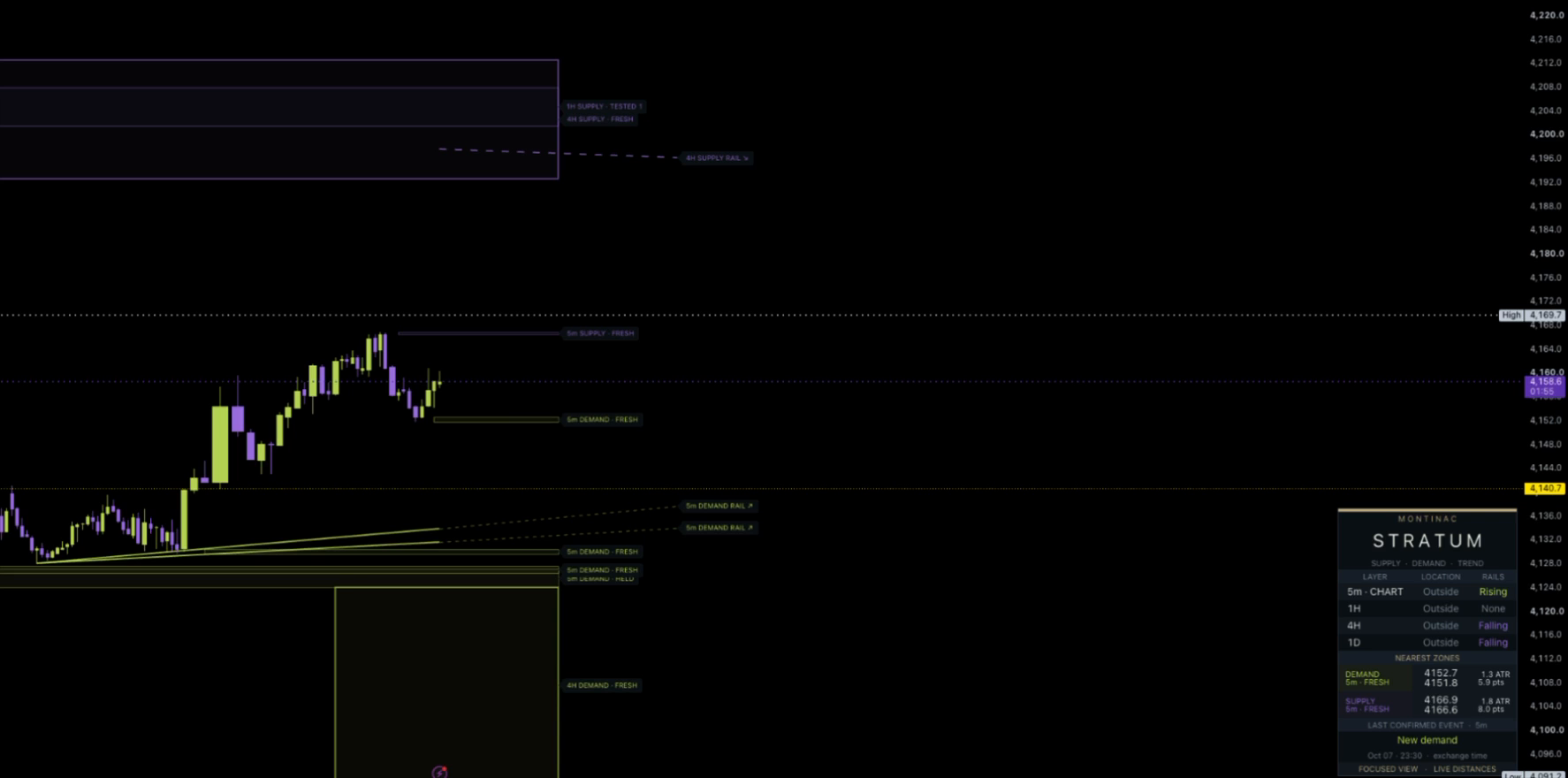
In this recorded view, the 5-minute chart has rising rails while the 4-hour and daily rows show falling rails. The layers offer different context—not competing trade instructions.
 Inspect detail ↗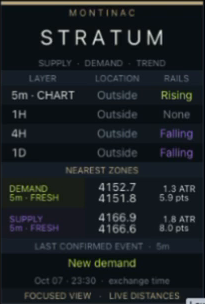
Higher-timeframe layers are added only when above the chart timeframe. Each uses completed source candles.
See supply and demand with their timeframe and state. The nearest-zone panel keeps price boundaries and live distance in view.
Rising demand and falling supply rails connect qualified confirmed pivots. Dashed extensions continue the geometry—not a price prediction.
Focused view hides distant drawings while retaining their calculations and context. Chart-timeframe alerts remain available for selected confirmed events.
Explore the full recorded chart or open the unedited source recording. The film is a location-and-layer overview, not a trade-result sequence.
 Open full chart ↗
View the source recording ↗5m chart · Recorded October 7, 2026
Stratum maps location. It does not calculate an entry, stop, target, position size, or win probability.
Pivots need the configured right-side candles to close before a qualified zone or rail is available. Higher-timeframe context uses the previous completed source candle. Live location and distance readings follow the current quote and can change intrabar.
On the chart layer, a fresh zone has not been visited, a test records a visit, and a qualifying hold closes back beyond the near edge within the configured hold window. A later visit resets the held state. Higher-timeframe labels use their own fresh/tested state. Held describes an observed reaction—not the next move.
The chart engine can retain several active zones and rails per side. Each eligible higher-timeframe layer shows its latest surviving qualified zone and rail per side. Equal or lower context timeframes are skipped.
The optional historical anchor segment connects past pivots after the newer pivot confirms. This is retrospective geometry, not an earlier signal. Zone-origin backdrawing is a separate optional setting. Current active structures can change or disappear after invalidation and expiry.
Summit organizes market evidence and readiness. Obsidian assesses structure-led futures pullbacks and modeled plans. Stratum concentrates on supply, demand and sloped trend rails across chart and higher-timeframe layers. They are separate tools; using all three is not required.
Questions about fit or availability? Talk to Montinac.